Word counter
Essays, applications and posts that say what you mean within the count.
PrivateNo uploadsRuns in your browser- Words
- 0
- Characters
- 0
- No spaces
- 0
- Sentences
- 0
- Paragraphs
- 0
- Lines
- 0
- Unique words
- 0
- Average word
- 0
- Reading
- 0 s
- Speaking
- 0 s
Character limits
- Short post0 / 280
- Search title0 / 60
- Search description0 / 160
- Text message0 / 160
- Photo caption0 / 2,200
- Long post0 / 3,000
Most used words
Type or paste text to see which words and phrases repeat.
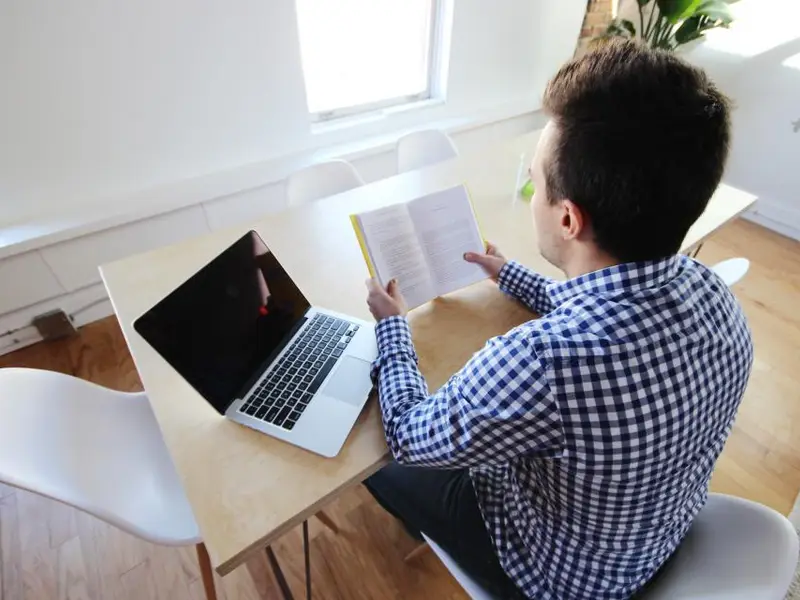
For the essay
Right on the word limit.
Essay night. Vivek trims his essay to the exact limit.
BeforeCounting words with a finger
With sdevThe count updates as you type

Study group
Friends check their answers before the deadline.

Accepted
The application lands and the good news follows.
How to count words and characters
Paste or type
Paste your text into the box, type straight into it, or open a .txt, .md or .csv file. The counts update as you write.
Read the counts
Words, characters with and without spaces, sentences, paragraphs, lines, reading time and speaking time are shown as tiles. Below them, the keyword list shows the words and phrases you use most.
Check a limit
The limits row shows how much of a short post, photo caption, search title, search description or text message you have used, and turns red when you are over.
Good to know
- Ctrl+C (Cmd+C on Mac) with nothing selected copies all the counts as one block, ready for a report or a message.
- Files up to 2 MB open in the box. Larger files are counted by a background worker straight from disk, so a whole book works without freezing the page.
- Sentences are split on full stops, question marks and exclamation marks, and common abbreviations such as Dr. and e.g. do not end a sentence.
- Paragraphs are blocks separated by a blank line. A single line break does not start a new paragraph.
- The limits count characters including spaces, the way most sites do. Some count emoji and links differently, so keep a little room.
- Two and three word phrases only appear when they repeat, and phrases that start or end with a common word are skipped so the list shows real topics.
Where people use it
Essay or assignment limit
Check you are inside the 500 or 1000 word limit before you hand it in.
Form fields with a character cap
Job and exam forms often allow only so many characters. Check with or without spaces.
Social posts and captions
The limits row shows how much of a short post, a caption or a text message you have used.
Time a speech
See the speaking time for a wedding toast, a school speech or a video script.
Keywords for a blog
The keyword list shows the words and phrases you repeat the most.
Clean the text first
Pasted text full of double spaces or blank lines? Tidy it up before you count.
Text cleaner
Why this one
Counts, time to read, keyword use and post limits are all live on one screen as you type.
- Words, characters, sentences, paragraphs and lines at a glance.
- Reading time and speaking time.
- Turns red when you go over a post or caption limit.
- Open a text file or paste, all on your device.
What you can change
- Phrase length for keywords
- Ignore common words
- Open a .txt, .md or .csv file
People find this page by searching
- word counter
- character counter
- word count online
- count characters with spaces
- essay word counter
- reading time calculator
- instagram caption character limit
- meta description length checker
- how many words in my text
- character count without spaces
Cite this tool
- APA
sdev.in. (n.d.). Word counter and character counter [Web tool]. https://www.sdev.in/tools/word-counter
- MLA
"Word counter and character counter." sdev.in, https://www.sdev.in/tools/word-counter.
- Chicago
sdev.in. "Word counter and character counter." https://www.sdev.in/tools/word-counter.
- BibTeX
@misc{sdev-word-counter,
  title = {Word counter and character counter},
  author = {{sdev.in}},
  howpublished = {\url{https://www.sdev.in/tools/word-counter}},
  note = {Web tool}
}
Questions people ask
How does the word counter count words?
A word is a run of letters or digits, so hyphenated words like well-known and contractions like don't count once. Punctuation and emoji are not words. Tamil, Hindi and other scripts are counted the same way as English.
What is the difference between characters and characters without spaces?
Characters counts every visible character including spaces and line breaks, which is what post, caption and text message limits use. Without spaces drops every space, tab and line break, the number some essays and exam forms ask for.
How is reading time worked out?
Reading time assumes 225 words a minute, the average for adults reading silently. Speaking time assumes 150 words a minute, a comfortable pace for a speech or a video script.
What is keyword density?
The share of your text taken by a word or a two or three word phrase. Search engines do not reward a high density, but the list shows what the text is really about and catches words you repeat too often.
Is my text uploaded?
No. Counting runs in a web worker inside your browser. Nothing is sent to a server, and the text is gone when you close the tab.